
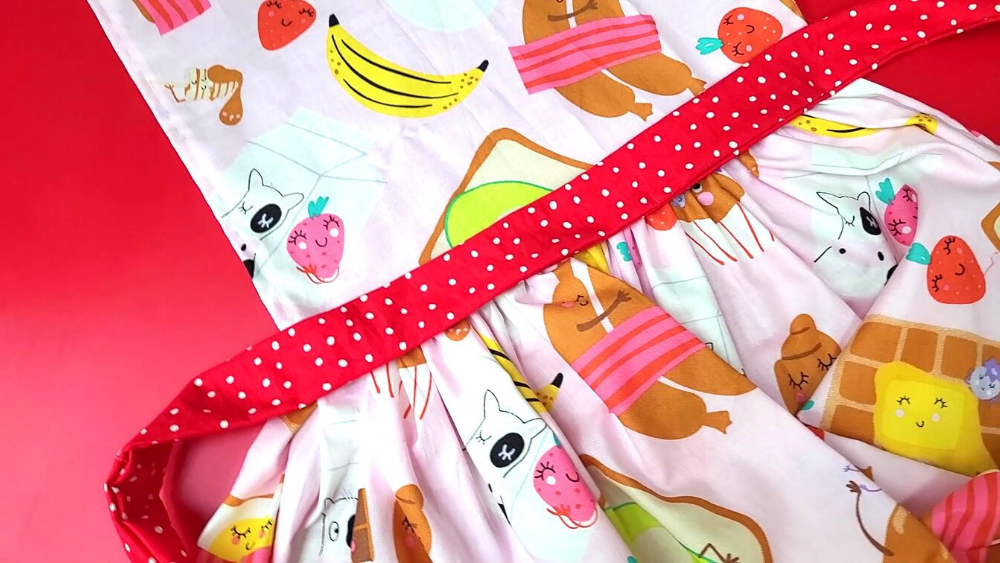
Project: Apron with Gathered Skirt
Materials:
- 1 yard of cotton fabric from our Fabric Touch (See Diagram #1)
- 7 inches of cotton fabric from our Fabric Touch (See Diagram #1)
- Seamstress's Wallet
- Loop Turner
- Sewing machine
Instructions:
1. Cut our main fabric into two pieces, with the measurements shown in this diagram #2.
2. Fold the sides or edges of the fabric, and secure them with sewing clips .
3. Sew a straight line, backstitching at the beginning and end. Repeat on all sides of the two pieces of fabric we cut. The smaller piece will be the top of the apron, and the larger piece will be the skirt. (See diagram #3)
4. To gather the skirt: Adjust the stitch length on the sewing machine to make it longer. Sew all along the waistline (one of the long sides of the piece of fabric).
5. Gradually pull the threads, gathering the fabric. Make a double knot at the end.
5. For the apron ties: Cut four pieces as shown in diagram #4. (One of the pieces will form the neckline, and the other three pieces will form the waist.)
6. Join the three pieces of the waistband by sewing one to the other.
7. Fold the ribbon with the design facing inwards and sew a straight line forming a tube.
8. Use a loop turner to turn the tube.
9. Close both sides of the tube by folding the fabric inwards and sewing a straight line.
10. Repeat steps 7 through 9 to create the apron collar.
11. Join the skirt to the apron top, concealing the seams, by pinning the two pieces together with the design facing inwards. Use a roller foot to sew the pieces together, ensuring the lengths match.
12. Sew the collar with a straight line on each side, adjusting it to the desired size.
13. Attach the long ribbon to the waistband with a few stitches on each side. You can sew it by hand, or even use fabric glue.
----------------------------------------------------------------
Downloadable Resources:
To download, click or tap the image you want to download. It will open in a new window. Right-click the image, or tap and hold it for a second, and select "Download" or "Save image as...". Choose how you want to save it, and click "Download" or "Save".
Diagram #1

Diagram #2

Diagram #3

Diagram #4

Diagram #5


